SweetFX Settings DB
Latest forum threads
3 weeks, 4 days ago
by drift3
2 months, 3 weeks ago
3 months, 1 week ago
by Horace
3 months, 4 weeks ago

Darker,Vibrant, Sharper, ?

Preset for Fatekeeper
Created by Booshy
Added June 4, 2026
Updated 4 Jun 10:09 CEST
Shader used: SweetFX 2.0
Preset description:
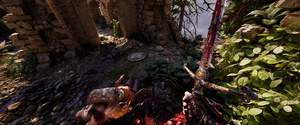
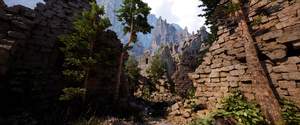
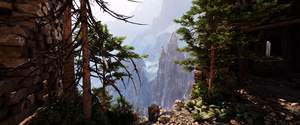
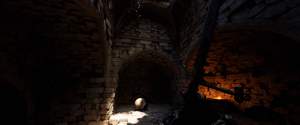
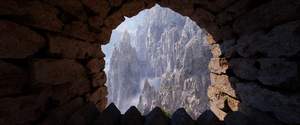
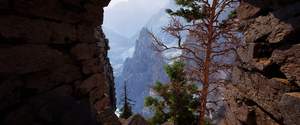
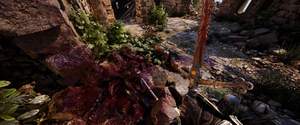
"Starter" preset (Made on day 1 of Early Access) is a little more colourful, slightly sharper (the luma sharpen filter is there for you to use as you wish) & of course a little darker for the atmosphere of the game. A few simple filters to enhance the graphics, clear up the "Grey Fog" within default visuals of the game and give it little boost in the colour department while darkening the recesses & "haulways". Much Darker recesses & Shadows even in daylight, the reason for this is to give atmosphere & also to make you use a light source in dark areas.
Download preset Show / Hide settings
Techniques=LumaSharpen@LumaSharpen.fx,Tonemap@Tonemap.fx,DPX@DPX.fx,HDR@FakeHDR.fx TechniqueSorting=LumaSharpen@LumaSharpen.fx,Tonemap@Tonemap.fx,DPX@DPX.fx,HDR@FakeHDR.fx [DPX.fx] Colorfulness=1.000000 Contrast=0.100000 RGB_C=0.360000,0.360000,0.340000 RGB_Curve=8.000000,8.000000,8.000000 Saturation=0.900000 Strength=0.180000 [FakeHDR.fx] HDRPower=1.160000 radius1=0.793000 radius2=0.870000 [LumaSharpen.fx] offset_bias=1.500000 pattern=2 sharp_clamp=0.014000 sharp_strength=0.500000 show_sharpen=0 [Tonemap.fx] Bleach=0.100000 Defog=0.100000 Exposure=-0.200000 FogColor=0.078431,0.117647,0.098039 Gamma=1.160000 Saturation=0.000000
Comments

You need to be logged in to post a comment