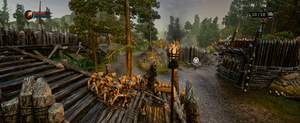
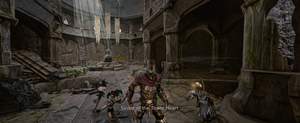
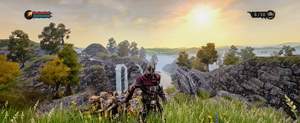
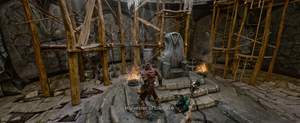
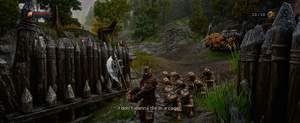
ANY RTX DLSS 5 + FGen Realistic Remaster
This preset brings NVIDIA DLSS Neural Rendering (DLSS 5 NR), Frame Generation, two-layer MXAO, and clean anti-aliasing to Overlord for an RTX remaster look. Built and calibrated on a 3440×1440 ultrawide VA monitor paired with an RTX 3060 Ti and Ryzen 5 5600X—visual intensity and performance will vary depending on your GPU, resolution, and display calibration.
Installation Instructions
Download the full drop-in archive here:
https://drive.google.com/file/d/1PbLvashmmCayQbTSFAyQg50_FevflCoT extract everything using 7zip/winrar into the game's .exe folder.
(32-bit games only) Run 4gb_patch.exe and apply it to the game's .exe.
Install the latest ReShade with Full Add-On Support targeting the game's .exe, selecting DirectX 9
Launch the game, open the ReShade overlay (Home), select the preset, and press + to toggle effects & * to toggle DLSS NR on.
Recommended In-Game Graphics Settings
Enable / Max Out: Core textures, shadows, lighting, geometry, and 16x Anisotropic Filtering (in-game or via NVIDIA Control Panel).
Disable: In-game Anti-Aliasing (MSAA/SSAA/TAA), V-Sync, Motion Blur, Depth of Field, Lens/Bloom Blurs, Film Grain, and Chromatic Aberration (so ReShade's depth buffer and optical flow stay clean).
(Optional for heavy GPUs / 4K / Ultrawide) Set the game to Windowed Mode at a lower base resolution and upscale to native using Lossless Scaling (LS1+Sharpness 1-2):
4K Display: 2560×1440 Windowed + Lossless Scaling
2K Ultrawide (3440×1440): 2560×1080 Windowed + Lossless Scaling
1080p Display: 1280×720 Windowed + Lossless Scaling
Optional Use: Left Lossless Scaling inside the zip in case you rather use a small resolution and scale it, these are the settings i use from 2560x1080 to 3440x1440 (LS1+Sharpness 2, Frame Gen off) works best in rtx 20/30 series.
Key Components & Add-Ons Included / Supported
GITC Uplift: Enables NVIDIA DLSS Neural Rendering (DLSS 5 NR) on all RTX GPUs across DX9–DX12.
HSF (Hunter's Sloppy Frames) & Universal MFG Unlocker: Unlocks and generates intermediate frames across RTX GPUs using optical flow and depth vectors.
Shaders Used (Effects .fx)
MartysMods_LAUNCHPAD.fx (Optical Flow & Textured Normals)
Uplift.fx (DLSS Neural Rendering pass)
HSF.fx (Frame Generation depth & motion passes)
qUInT_mxao.fx (Two-Layer Ambient Occlusion)
SMAA.fx (Subpixel Morphological Anti-Aliasing)
CMAA2.fx (Conservative Morphological Anti-Aliasing)