SweetFX Settings DB
Latest forum threads
4 months, 3 weeks ago
by drift3
6 months, 3 weeks ago
7 months, 1 week ago
by Horace
7 months, 3 weeks ago
Dark Theme for SFX Database
Posted 10 years, 10 months ago
Edited 10 years, 1 month ago
Hello, I know I'm not very active but after recently learning HTML & CSS I decided to make a dark theme for the database (Which is edited from the base theme). I've spent a few days on it and I feel it's mostly done and ready for public use. I was a bit wary about posting this as there is no formal post or section for such a thing but I hope you enjoy. :) 4 images can be found here: http://imgur.com/a/tRpZ8 Just in case you want to look at it before you use it. 1. Direct link to edit profile (may want to open this in a new tab): http://sfx.thelazy.net/users/profile/ 2. Copy this link: https://cdn.rawgit.com/zomgerd/SweetFXDB-Dark-Theme/7ed8efe8c43d6cc62a27db457667af6d35734b6f/SFXDBDark.css 3. Paste the link in the CSS URL text area and save. And boom, you now have the dark theme. *update* If you are current user of this theme, you must grab the new link above. I had to switch hosts due to google's upcoming shut down of the web hosting side of google drive.
Posted 10 years, 10 months ago
Thanks man, looks pretty good. I prefer a dark theme myself too :D
Posted 10 years, 10 months ago
Thanks and yeah, it's far easier on the eyes, especially when the lights are off.
Posted 10 years, 10 months ago
Zomgerd this looks stunning :)
Posted 10 years, 10 months ago
Thanks, glad you like it! :D
Posted 10 years, 10 months ago
thanks for this !!
Posted 10 years, 9 months ago
You're Welcome. :)
Posted 10 years, 9 months ago
Thx bro. My eyes feel much better.
Posted 10 years, 9 months ago
Great job. It's a practical, and very useful contribution. Little projects like these are very helpful for so many reasons; and have the added bonus of giving you real world experience and practice. If I may, I would suggest thinking about trying to tackle writing plugins/modules for say, Wordpress, or Drupal. HTML5, and css are such robust and powerful tools. Even something simple like a photo viewer similar to this sites; that has a slider for viewing before and after. Or anything that you can think of that you want to add more functionality or form to. I apologize if you don't care and know what to do already, but I couldn't help myself. Anyways, thanks and have a nice week.
Posted 10 years, 9 months ago
@dedicateddark: You're welcome and I'm glad your eyes are not being strained as a result of this theme. :) @Peer_Review: Thanks; I haven't really even been practicing my HTML & CSS lately so I don't really think I'll be getting into anything else at this time. Frankly I'm a pretty lazy person until I find a motivation or reason to do something which is how I eventually came to learn a little HTML & CSS because I was tired of looking at the SweetFX database in all it's whiteness. I'm sure if I had reason or a need to learn more than what I do now I would but as of right now I just don't.
Posted 10 years, 9 months ago
Finally someone did it! Thanks =D
Posted 10 years, 9 months ago
I have to say this is a big improvement, but how would I go about changing the font?
Posted 10 years, 9 months ago
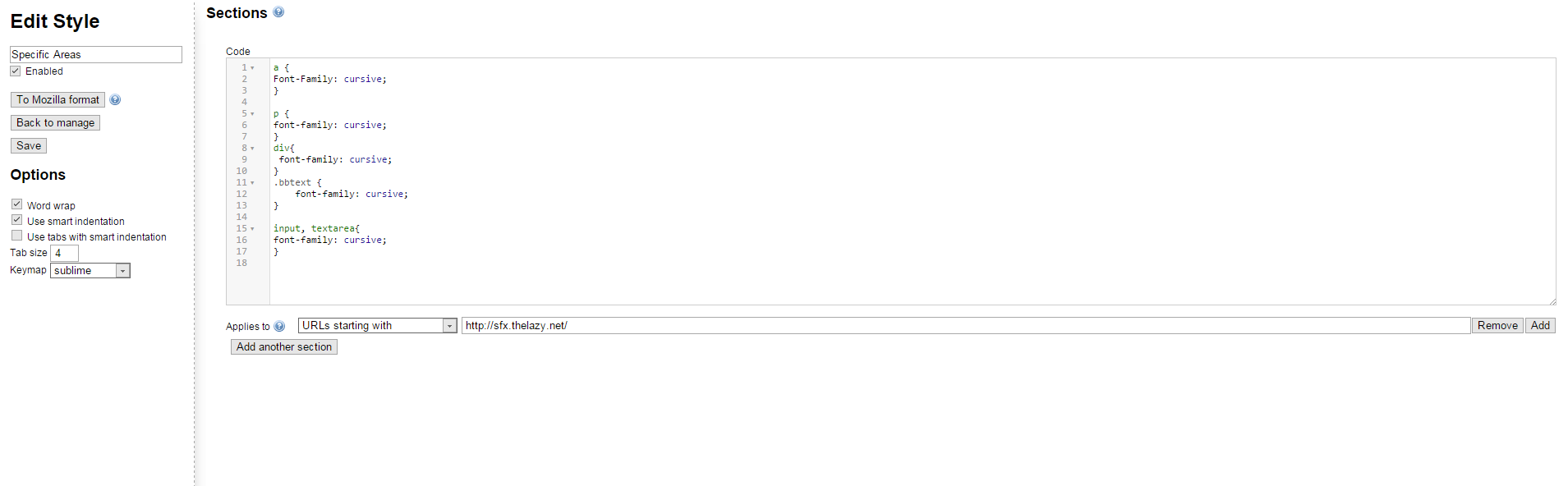
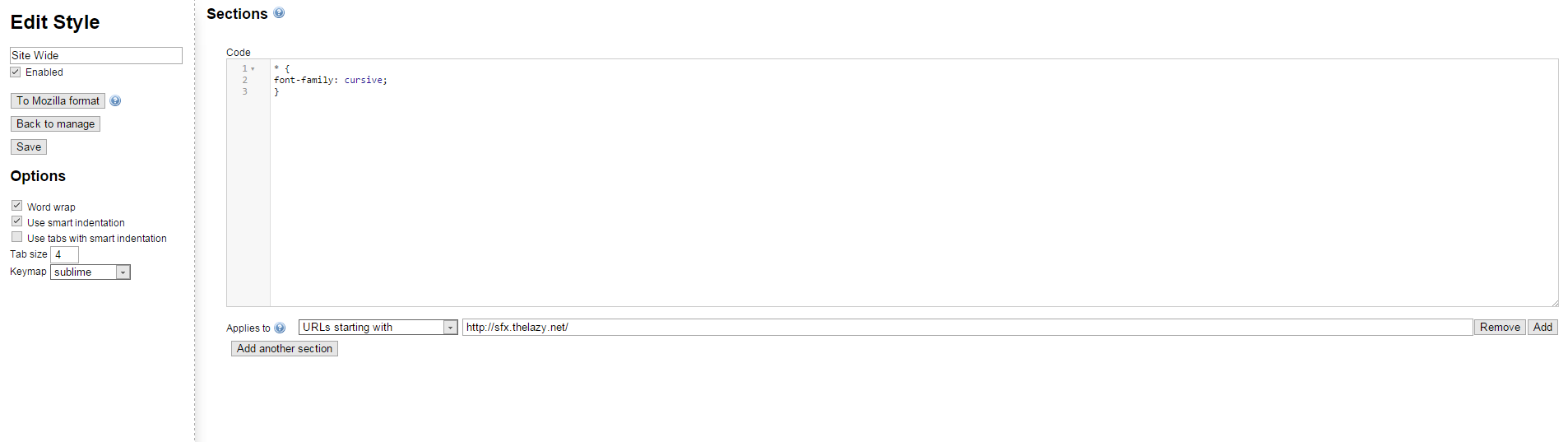
Jak - You're Welcome, however k-putt did make a theme that was less eye straining long before me but it was more light gray than anything else. Notato - You'll have to resort to Stylish for that. Here are two example images of how you can set it up. First image- This is site wide and effects ALL text areas, however I'd only use this if you just wanted one font for the whole site which I only recommend if you want just the font changed: https://i.gyazo.com/48b23bf680d72fc7c388794e52ee79c8.png Second Image - This is more specific text areas, with this you'd be able to change size and/or change the font without the whole site being changed but specific portions of it. I recommend this is if you would like to mix and match font families or sizes: https://i.gyazo.com/4b78423a0d8c5fa8e42f6d9e4bc1788c.png A couple of things to note: First, I have no idea how many font families there are that you can use but I'm sure a Google search will help you there. Second, if you want to change the size of the fonts the line would be "font-size: 12px;" without quotations inside the brackets, it can be below or above the font-family value and they can be larger or smaller than 12px.
Posted 10 years, 1 month ago
Google is shutting down the web hosting function that I use(d) to host the CSS file at the end of this month so I've had to change the host. I'm using github, albeit a really work aroundy kind of way by using Rawgit to change how the actually code is seen and believe me it's just a weird setup. The new link is above and ready for use.
Posted 10 years, 1 month ago
Great I prefer black too
New post

Please log in to post an answer